Xbox One S Disc Drive Replacement

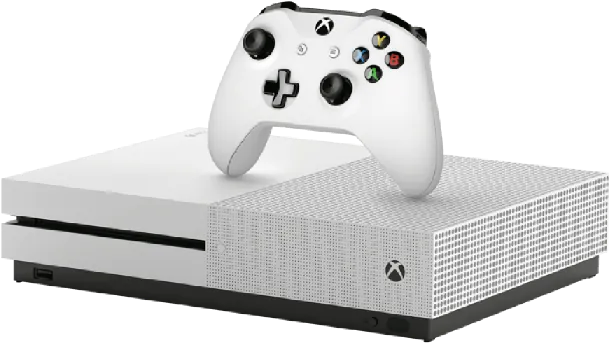
Is your Xbox One past warranty and in need of repair? If so, stop by Good Zone at 1722 Kings Hwy in Midwood, Brooklyn: we replace Xbox One S disc drives that grind, do not read discs or do not eject them, and you get a quote before any work starts. Our technicians have more than 15 years of repair experience.
Xbox One Repair

Tell us about your problem


    We are open 7 days a week, 10 AM to 7 PM, near the Kings Hwy B/Q station, and walk-ins are welcome.

    Simply bring it to our facility or use our mail-in service. Before you come, try a different disc and note whether the drive grinds, stays silent or spits the disc out: it helps us find the fault faster.

    Service detail

    We Provide Xbox One S Disc Drive Replacement

    A disk drive grinding noise is among the most common Xbox One S problems. Despite the tremendous noise, most users claim that the disk is not damaged as a result. Other signs are a drive that does not take the disc in, does not eject it, or shows a message that the disc cannot be read.

    We first check whether the fault is in the drive itself (laser, motor or tray) or in the console settings and software. If the drive has to be replaced, we move the board from your old drive to the new one, because on the Xbox One S that board is paired with the motherboard. Then we test the drive with several discs.

    Xbox One S Disc Drive Replacement With Us

    When you contact your neighborhood Good Zone Service & Repairs store, you will receive a quote for your Xbox One S repair, and nothing is repaired without your yes. For other faults, see our Xbox One S repair page.

    Our other services include (but are not limited to)

    • Power Issues
    • Overheating
    • Not Reading Discs
    • Disc Drive and Tray Issues
    • Hard Drive Issues

    In order to provide you peace of mind while your hardware is with us when you bring your console to us, we will schedule an appointment, check, and diagnose your console, explaining the diagnostic fee before the assessment. You also don’t need to book an appointment with us, you simply have to walk into our facility, and our team will handle the rest.

    Xbox One S Disc Drive Replacement Cost

    The disc drive replacement is quoted after diagnostics: the price depends on whether the whole drive or only a part of it (such as the laser) has to be replaced. Diagnostics cost $75 and count toward the repair if you go ahead. Time depends on the fault; we tell you after diagnostics. Repairs come with a 30-day limited warranty.

    About us

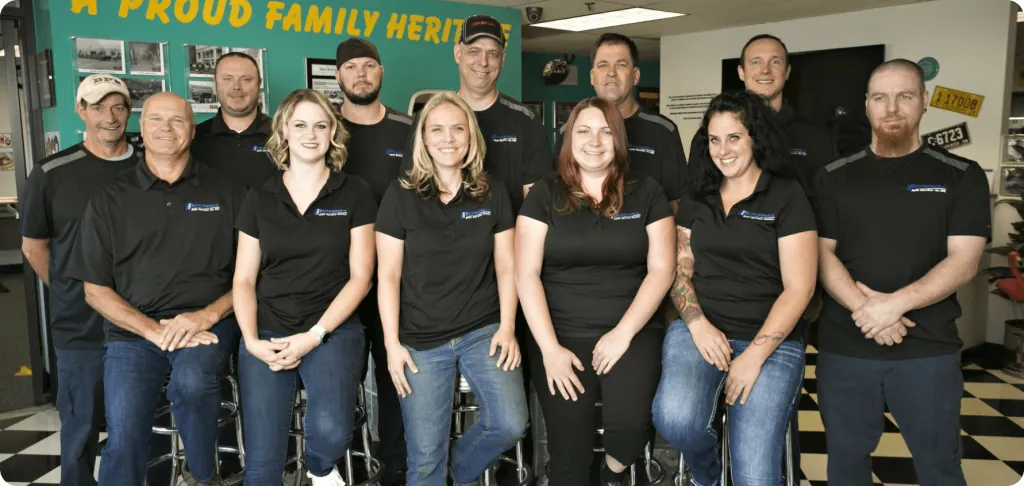
    Our Team

    Good Zone Shop & Repair Service is located in Brooklyn. Our service provides customers with fast, fair, and affordable device repairs.

    No longer needing to worry about purchasing new devices because of unexpectedly costly repair fees, GoodZone repair is the perfect solution for you.

    Why us?

    • 1

      15+ years of
      experience

    • 2

      1,200+
      repairs a year

    • 3

      4.8 ★ from
      700+ Google reviews

    iPhone X Repair

    Do you have any questions?

    Do you have any questions?


      Reviews

      Nermin Radoncic
      4

      Great place to go to. Easy fix no issues. Go on a weekday and it will be faster. Thank you my brothers

      Albert Wilkins
      5

      Great service for a good price. I've used them before and will use them again. The prices were fair. They are honest, prompt and courteous. They will do the job right the first time.

      gerald chaveez
      5

      I was recommended this service by another friend. The reviews about them were mixed, so I decided to give it a try. I was very pleased with their service and work. They fixed my phone and made sure everything was up to date. They also gave me a good discount on the anti-shock film. Thank you for your work!

      FAQ

      Why is my Xbox not reading my discs?

      Even though the disc is inserted, your console could not recognize it because of the instant-on power mode settings. Fortunately, disabling this setting is simple: To access the guide, press the Xbox button, then select Settings from the Profile & system menu, then go to  General > Power mode and startup > Power mode. If the disc is still not read, the drive itself may be failing.

      iPhone X Repair

      Request your
      consultation

      Request your consultation