iPhone Microphone repair

iPhone microphone repair in Midwood, Brooklyn: we fix muffled calls, static and silent recordings at 1722 Kings Hwy. You get a quote before any work starts.
iphone repair

Tell us about your problem


    Is your iPhone microphone no longer picking up sound correctly? Are your callers complaining that your voice sounds muffled and choppy or that there is background static in your sound? Does the problem persist regardless of the location of the call? It could mean that your iPhone microphone is malfunctioning.

    Or if Siri is misinterpreting your voice commands irrespective of how slowly you are speaking. Perhaps the sound quality in your video recording is poor. Don’t be worried: bring it to Good Zone Repairs and we will find out whether the microphone, its opening or the sound chip on the board is at fault (see iPhone audio IC repair). Related repairs: iPhone speaker repair.

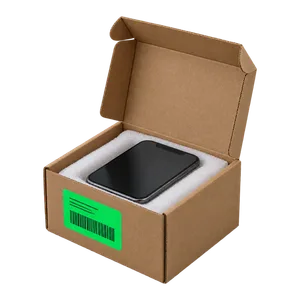
    You can bring your iPhone in to get assessed or mail in your device through our mail-in repair service.

    Service detail

    We Provide an iPhone Microphone Repair Service

    Repair time depends on the fault; we tell you after diagnostics. You approve the price before any work starts.

    If we find out that your phone has any other issues, we will get in touch with you to inform you what is going on. This will enable you to decide whether or not you would like to make any further required repairs.

    iPhone Microphone Repair With Us

    Good Zone is open seven days a week, 10 AM to 7 PM, so you can walk in and access our service on any day.

    Repairs come with a 30-day limited warranty.

    Other faults can be checked at the same visit; see our iPhone repair page.

    iPhone Microphone Repair Cost 

    iPhone microphone repair costs depend on the model and on which part failed, so the price is quoted after diagnostics. Diagnostics cost $75 and count toward the repair if you go ahead.

    From our Midwood bench, June–October 2026: 152 iPhones came in to our Midwood store: 125 were repaired and handed back, 21 owners declined after the quote, and 6 were still in progress on 9 November. The most common jobs were screens (72 screen-only repairs), batteries (14) and back glass (6). Speaker and microphone jobs on iPhones across our five iFix stores: 5, all repaired, median bill $131.

    About us

    Our Team

    Good Zone Shop & Repair Service is located in Brooklyn. Our service provides customers with fast, fair, and affordable device repairs.

    No longer needing to worry about purchasing new devices because of unexpectedly costly repair fees, GoodZone repair is the perfect solution for you.

    Why us?

    • 1

      15+ years of
      experience

    • 2

      1,200+
      repairs a year

    • 3

      4.8 ★ from
      700+ Google reviews

    iPhone X Repair

    Do you have any questions?

    Do you have any questions?


      Reviews

      Nermin Radoncic
      4

      Great place to go to. Easy fix no issues. Go on a weekday and it will be faster. Thank you my brothers

      Albert Wilkins
      5

      Great service for a good price. I've used them before and will use them again. The prices were fair. They are honest, prompt and courteous. They will do the job right the first time.

      gerald chaveez
      5

      I was recommended this service by another friend. The reviews about them were mixed, so I decided to give it a try. I was very pleased with their service and work. They fixed my phone and made sure everything was up to date. They also gave me a good discount on the anti-shock film. Thank you for your work!

      FAQ

      How do I test my iPhone microphone?

      Use the Voice Memos app on your iPhone or iPad to test the microphone. Speak into the microphone by launching the Voice Memos app or asking Siri to do it for you. After that, play the recording and listen. Your voice should come through loud and clear. If the sound quality is poor, you may need an iPhone mic repair.

      How do I fix my microphone on my iPhone?

      Here are a few things that you can do while awaiting iPhone Microphone repairs:

      1. Restart the iPhone.
      2. Check for blocked openings.
      3. Unplug any accessories.
      4. Try a new headset.
      5. Restart communication apps.
      6. Give apps microphone access.
      7. Clean the microphone openings.

      How do I clean my iPhone microphone?

      Try using a clean toothbrush with extremely mild bristles. Brush the microphone hole in a circular motion to clear any obstructions. If you do not have a spare toothbrush, you should use a small clean paintbrush instead.

      iPhone X Repair

      Request your
      consultation

      Request your consultation