
iPad Not Charging? A Step-by-Step Guide to Fix It
Try the safe checks below first. If your iPad still won't charge, we repair it at Good Zone, 1722 Kings Hwy in Midwood, Brooklyn, and you get a quote before any work starts.

Is your iPad not charging, leaving you frustrated and disconnected? You're not alone. These charging issues are among the most common problems iPad users face.
Many charging problems can be resolved without professional intervention, so try the steps below before you pay for a repair. Apple Support also has help pages for iPad charging problems.
Understanding Why Your iPad Is Not Charging: Common Problems
When your iPad won't charge, several factors could be at play: the charging port, software glitches, battery degradation or damage to internal components.
Common causes include:
- Debris in the charging port: Lint, dust, and other particles can block proper connection
- Damaged charging cables: Frayed or worn cables often fail to deliver consistent power
- Software issues: System glitches that prevent proper power management
- Battery degradation: Normal wear reducing battery capacity (typically after 1,000+ charge cycles)
- Liquid damage: Corrosion from exposure to moisture. If your iPad got wet, switch it off and bring it in; see our iPad water damage repair page.
DIY Troubleshooting Solutions

Before seeking professional iPad repair in Brooklyn, try these step-by-step troubleshooting methods:
Inspect Your Charging Equipment
- Check your charging cable: Look for visible damage, fraying, or discoloration. Try another Apple or MFi cable if available.
- Test different power outlets: Wall outlets provide more consistent power than USB ports on computers.
- Try different charging blocks: Ensure you're using a proper iPad charging block, such as the adapter that came with your iPad.
Clean Your Charging Port
- Power off your iPad: Safety first!
- Visual inspection: Use a flashlight to check for debris in the port.
- Gentle cleaning: Using a soft, dry toothbrush can dislodge lint or dust. Do not blow compressed air into the port.
CAUTION: Never insert metal objects into the charging port as this can cause permanent damage to your device.
Restart and Update
- Restart your iPad: A restart clears software glitches that can stop charging.
- Update iPadOS: Go to Settings > General > Software Update while the iPad has some charge.
Our technicians note that when DIY methods fail, the problem usually requires professional attention, especially in cases of water damage or internal component failure.
Professional Repair Options
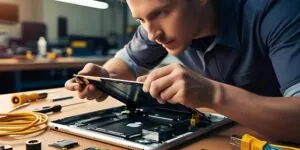
When DIY solutions don't resolve your iPad charging issues, it's time to consider professional repair services. At Good Zone in Midwood, Brooklyn, we diagnose and repair iPad charging problems:
Diagnostic Process
Our technicians run diagnostics to identify the cause of the charging failure, including:
- Hardware diagnostics: Testing port connections, cable functionality, and battery health
- Software analysis: Checking for system errors and update issues
- Internal component inspection: Examining for liquid damage or loose connections
Common Professional Repairs
- Charging port replacement: See iPad charging port repair
- Battery replacement: When the battery no longer holds a charge; see iPad battery replacement
- Logic board repair
- System restoration: Software solutions when hardware isn't the problem
Diagnostics cost $75 and count toward the repair if you go ahead. You approve the price before any work starts. Repair time depends on the fault; we tell you after diagnostics.
From our Midwood bench, June–October 2026: 20 iPads came in to our Midwood store: 14 were repaired and handed back, 2 owners declined after the quote, and 4 were still in progress on 9 November. The median bill on a completed iPad repair was $163 (half of the bills fell between $119 and $210), and the median repair took about 1 day. Every repair is quoted after diagnostics.
iPad repairs come with a 30-day limited warranty. Water-damage repairs and customer-supplied parts have no warranty.
Prevention Tips

Prevent future iPad charging problems with these practices:
Proper Charging Habits
- Use Apple or MFi accessories: Good charging cables reduce the risk of charging issues.
- Avoid extreme temperatures: Keep your iPad between 32° to 95°F (0° to 35°C) during charging.
- Practice partial charging: Maintaining battery level between 20% and 80% extends battery lifespan.
Protective Measures
- Invest in port covers: Simple dust plugs can prevent debris accumulation.
- Use protective cases: A case helps prevent physical damage from drops.
- Act early: If charging becomes slow or stops at random, have the iPad checked before the port or battery fails.
Software Maintenance
- Keep iPadOS updated: Regular updates often include power management improvements.
- Monitor battery usage: Use Settings > Battery to see which apps use the most power.
Conclusion and Final Thoughts

Charging issues don't have to mean the end of your iPad's useful life. As we've seen, many problems can be resolved with simple DIY troubleshooting, while more complex issues are addressable through professional repair services.
If you've tried the steps in this guide without success, our team at Good Zone is ready to help. We work on phones, tablets, and computers, and we can diagnose and fix your iPad charging problems.
Take action today
Walk in to Good Zone at 1722 Kings Hwy, Brooklyn, NY 11229, near the Kings Hwy B/Q station. We are open 7 days a week, 10 AM to 7 PM. Not in Brooklyn? Use our mail-in repair service.
Looking for other services? We also do iPhone repair, Mac repair, Apple Watch repair, Samsung repair, PlayStation repair, and even PS5 repair.
FAQ Section:
Q1: How much does iPad charging port repair cost?
A1: At Good Zone, iPad charging port repairs are quoted after diagnostics, depending on the model and the fault. Diagnostics cost $75 and count toward the repair if you go ahead.
Q2: How long does an iPad battery replacement take?
A2: Time depends on the model and the fault; we tell you after diagnostics. For mail-in repairs, add shipping time.
Q3: Does Apple warranty cover charging issues?
A3: Apple's limited warranty covers charging problems caused by manufacturing defects for one year from purchase. However, physical damage to ports, liquid damage, or issues after warranty expiration require a paid repair, from Apple or from a repair shop like ours.
Q4: Is it worth repairing an old iPad with charging issues?
A4: For iPads less than 4-5 years old, repairs are typically worth the investment. We can help you compare repair costs versus replacement value during our diagnostic assessment.
Q5: Can I use my iPhone charger for my iPad?
A5: Yes, you can use an iPhone charger for an iPad, but a low-wattage one, such as an old 5W iPhone cube, will charge it significantly slower. Use the adapter that came with your iPad when you can.
Disclaimer:
This guide is provided for educational purposes only. While many iPad charging issues can be resolved using the methods described, we recommend seeking professional assessment for persistent problems, especially those involving internal components. Attempting repairs beyond basic troubleshooting may void your warranty.