
Computer Keeps Restarting? 5 Causes & Fixes by Good Zone
Here are five common causes and what you can check yourself. If it still restarts, we diagnose and repair desktops and laptops at Good Zone, 1722 Kings Hwy in Midwood, Brooklyn, and you get a quote before any work starts. Our technicians have more than 15 years of repair experience.
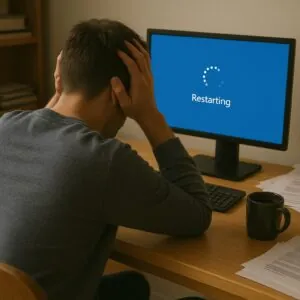
Computer keeps restarting and disrupting your workflow or games? You’re not alone. Random restarts can stem from hardware glitches, system errors, overheating, or malware infections. When the restart happens tells you a lot: under load, right after an update, only when unplugged, or at random.
Why Your Computer Keeps Restarting: Common Causes Explained
1. Overheating Issues
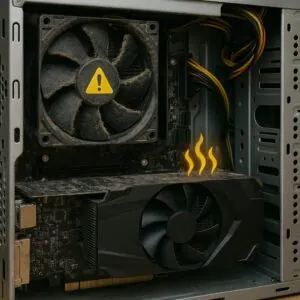
Your CPU or GPU may overheat if your cooling system isn’t working correctly. When the temperature crosses a certain threshold, the system forces a shutdown to prevent damage. Typical sign: it restarts during games, video or heavy work, and the fan is very loud or not spinning at all.
Fix: Clean dust from fans, replace thermal paste, and ensure your ventilation is adequate. Visit our computer repair service for fan cleaning and thermal paste replacement, or see computer fan repair.
2. Faulty RAM or Hardware
Faulty RAM, a failing drive or a part that was installed badly can cause restarts, often with a blue screen first.
Fix: Run a memory diagnostic tool. If you're unsure, contact us for professional testing and replacement.
3. Power Supply Failures
An unstable or underpowered PSU (Power Supply Unit) may struggle to provide sufficient power during high-load tasks. On a desktop, restarts under load, a clicking sound or a burning smell point to the power supply.
Fix: Replace or upgrade your PSU, or get a power supply check done at Good Zone Repairs. For server-related issues, our server repair service also covers advanced diagnostics.
For more guidance on how chipset software can impact restarts, check Intel’s official support article.
4. Corrupted Drivers or OS
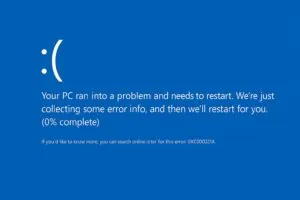
A corrupted driver or a failed Windows update can throw your system into a loop of crashes and restarts. Typical sign: the problem began right after an update or a new program.
Fix: Boot into safe mode and roll back recent changes or update your drivers manually. If things go south, we can reinstall the operating system; back up your files first.
5. Malware and Viruses
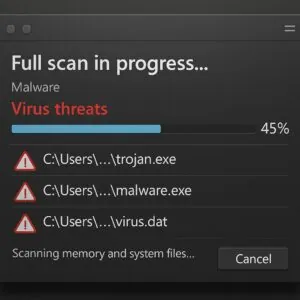
Some malware crashes the system or keeps the CPU at full load, which leads to heat and forced restarts.
Fix: Perform a full antivirus scan and use malware removal tools. If you suspect deep-rooted infections, see our laptop virus repair page.
Practical Solutions for Computer Restart Problems
Step 1: Run Diagnostic Tools
Use Windows Memory Diagnostic, CHKDSK, or BIOS tools to test your RAM and hard drive integrity.
Step 2: Monitor Temperatures
Install apps like HWMonitor or Core Temp to track system temperature. If the temperature climbs right before each restart, you likely have a cooling problem.
Step 3: Scan for Malware
Use tools like Malwarebytes or Windows Defender to remove viruses or worms causing system instability.
Step 4: Check System Logs
Use Event Viewer (Windows) to find error logs under "System" for insights into hardware or software crashes.
Step 5: Bring It to the Pros
Still can’t pinpoint the issue? Our computer repair service in Midwood runs a full diagnostic. Diagnostics cost $75 and count toward the repair if you go ahead. You approve the price before any work starts, and time depends on the fault; we tell you after diagnostics.
Additional Fixes Based on Device Type
- Mac restarts randomly? On Intel Macs an SMC reset can help. If it does not, our Mac repair team runs hardware diagnostics.
- Laptop restarts or shuts down when unplugged? The battery is a common cause; see laptop battery replacement.
- Xbox restarts during gaming? A console that restarts mid-game is often overheating. Check out our console repair services for Xbox and PlayStation repair diagnostics.
- Tablet restarting on its own? A tablet that reboots by itself often has a worn battery or a software fault. Our tablet repair team handles both Android and iPad repair.
When to Bring It In
Random computer restarts are more than just annoying — they can lead to data loss and hardware damage. Back up your files while the computer still starts, and bring it in if the restarts continue. At Good Zone Repairs, 1722 Kings Hwy in Midwood, we run complete diagnostics on desktops and laptops, and we also handle phone repair. Walk in 7 days a week, 10 AM to 7 PM, near the Kings Hwy B/Q station, or use our mail-in repair service. Repairs come with a 30-day limited warranty.
FAQs
Q1: How do I know if my PSU is failing?
A1: Frequent restarts during high usage, burning smell, or a clicking sound may indicate a PSU issue.
Q2: Can malware make my computer restart?
A2: Yes. Some malware strains overload your CPU or crash critical services, forcing a restart.
Q3: Is overheating reversible?
A3: Yes, with proper cleaning, thermal paste replacement, and ventilation fixes.
Q4: Does reinstalling Windows help with random restarts?
A4: Sometimes, especially if software corruption is the issue. Back up your data first.
Q5: Where can I get my device professionally checked?
A5: Visit Good Zone Repairs at 1722 Kings Hwy, Brooklyn, without an appointment, or reach us via our contact page.