Mac Desktop Repair: What we offer
Tell us which Mac you have and what it does; we run diagnostics and explain what the repair involves. You can trust our skilled and experienced technicians to handle the repair project with ease.
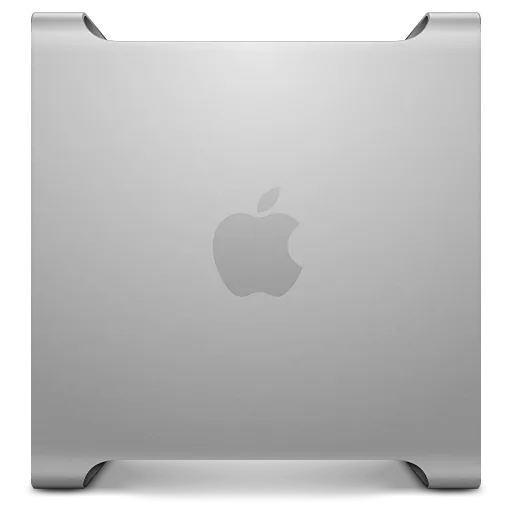
Mac Pro repair
Whether it’s a Mac Pro that will not start, a failed drive or a loud fan, we check it and quote the repair (see our Mac Pro repair page). We offer repair services to businesses, students, and individuals in Brooklyn.
iMac repair
If you need iMac desktop repair services, see our iMac repair page. We can determine your iMac model with ease, run diagnostics and fix issues we find after you approve the price.
Mac mini repair
Mac mini desktops are popular for their slim designs and advanced specs. Unfortunately, they can be a pain to fix. We handle water damage, software, and hardware problems; more on our Mac mini repair page.
Mac Desktop Repair: Common Issues
Customers walk in with a range of issues. Though some issues are common and easy to fix, some are technical and need more time. Our technicians check the power supply, the drive, the memory and the logic board before they quote the Mac desktop repairs.
Signs that a Mac desktop needs a repair: it will not turn on or restarts on its own, it shows a folder with a question mark at startup, the fans run at full speed all the time, or it has become very slow after an update.
Mac Desktop screen repair
Is your iMac screen broken or not working? Does it automatically go dim or develop lines on the screen? We’ll handle the screen repair. We do not repair separate monitors.
Mac Computer virus removal
Is your Mac slow, showing random pop-up messages, or opening pages you did not ask for? It may have adware or malware. We’ll scan your Mac for malware and viruses and clean it.
Reinstall mac OS
Some problems are easier to fix with an operating system reinstall. Back up your files first if the Mac still starts; the steps are on our reinstall macOS page.
Mac repair software
Does your Mac fail to start? Does it frequently crash with different errors? We find the cause and quote the fix after diagnostics.
Can we help you?
Of course. Our trained professionals are skilled at handling Mac desktop and laptop repairs. From logic board repair to screen and battery repair or replacements. We upgrade memory or storage only on models where they are not soldered to the board.
We’ll run diagnostics to determine the root cause of the problem and explain it to you. We’ll also present the mac desktop repair cost and how long it’ll take. Some apple repairs take longer than others, depending on the complexity and availability of parts. Time depends on the fault; we tell you after diagnostics.
Mac Desktop Repair Cost
Different Mac desktop problems attract different price tags. Diagnostics cost $75 and count toward the repair if you go ahead. The final quotation is presented after running diagnostics and determining the problem and solution, and you approve the price before any work starts. Repairs come with a 30-day limited warranty.
Before you come in, back up your files if the Mac still starts, and bring it with its power cable; a keyboard and mouse are only needed if the fault is with them. Can't bring the Mac to Kings Hwy? Use our mail-in repair service. Laptops and Windows PCs are on our computer repair service page.