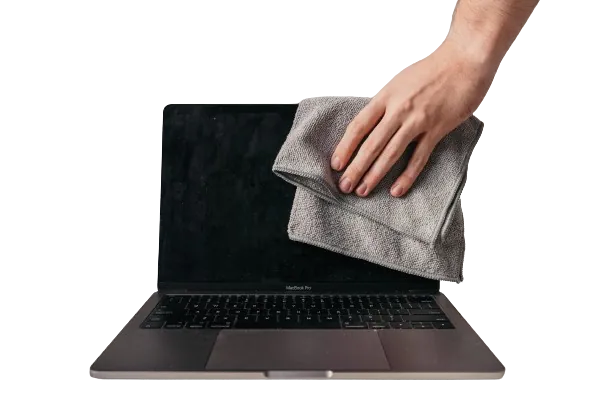
When do you need MacBook fan cleaning?
One of the main enemies of any laptop is dust. It accumulates in the cooling system. If MacBook cleaning and maintenance have not been carried out for a long time, dust covers the cooling system and prevents heat from leaving the device. As a result, the laptop runs hot, slows itself down to protect the chip and can freeze.
Dust on the fan blades and in the heatsink also makes the fan louder, because it has to spin faster to move the same air. Constant overheating also dries out the thermal paste, which is gel-like at first and hardens over time.
All these problems can be avoided. Our service center engineers will perform MacBook fan cleaning and, if needed, replace the dried thermal paste.
MacBook keyboard cleaning service in Good Zone
If you spill liquid on your MacBook, switch it off and bring it in. Liquid cases are handled on our MacBook water damage repair page.
Getting liquid on your laptop is a dangerous situation, and MacBook keyboard cleaning service can often save the keyboard. To clean the keys, our service specialists will remove them and clean the mechanisms with a special solution. In most cases, cleaning the keyboard will return it to full functionality, but you need to understand that in some situations if the damage is significant, the keyboard may not be repairable. Our service also offers a keyboard replacement service.
If the water damage is more severe and the components are already corroded, we will perform a comprehensive cleaning. This includes removing corrosion and oxides from the board and cleaning the connectors, keyboard and trackpad. It is very important to do this work as soon as possible because corrosion can lead to the failure of the motherboard and other components of the MacBook.
Do not try to open or dry the laptop yourself; this can lead to more serious consequences. Contact Good Zone professionals for MacBook keyboard cleaning.
Why is the MacBook Pro cleaning service so important?
If you are faced with the problem of your laptop overheating, we advise you to take the device to Good Zone for MacBook professional cleaning. Walk in 7 days a week, 10 AM to 7 PM, near the Kings Hwy B/Q station, or fill out the form on this page. If you cannot come in, use our mail-in repair service.
If you do not clean your MacBook Pro on time, this can lead to the following consequences:
- drying of thermal paste;
- a significant slowdown of the MacBook;
- failure of the video card;
- motherboard failure;
- the need for complex and expensive repairs due to overheating, etc.
What We Check
- Temperatures and fan speed while the MacBook is working.
- The vents and heatsink for dust and pet hair.
- The keyboard and ports for dust or traces of liquid.
- The battery for swelling, which can raise the trackpad. See MacBook battery replacement.
What Affects the Price and Time
- Your MacBook model and how far it has to be taken apart.
- How much dust is in the fans and vents.
- Whether the thermal paste needs replacing.
- Whether there are traces of liquid or corrosion inside.
Diagnostics cost $75 and count toward the repair if you go ahead. You approve the price before any work starts; nothing is repaired without your yes. Time depends on the fault; we tell you after diagnostics. More services are on our MacBook repair page.